
Microsoft Power BI
Power BI – visualise and understand your business with integrated decision support
Power BI is Microsoft's modern data analysis and visualisation tool. Integrated with your ERP system, it becomes powerful decision support that collects, analyses and presents your business data in a clear, interactive way.
The result is better control, faster insights and a more data-driven way of working – directly connected to the reality in your ERP system.

With Power BI connected to your ERP system, you gain a shared, real-time view of the company's key figures. You can easily monitor finance, sales, purchasing, projects, inventory and production in clear dashboards and reports. It saves time, reduces manual work and makes informed decisions easier.

Examples of analyses and reports
Every business has different key figures, and Power BI makes it easy to adapt reports to different needs. Here are some examples:
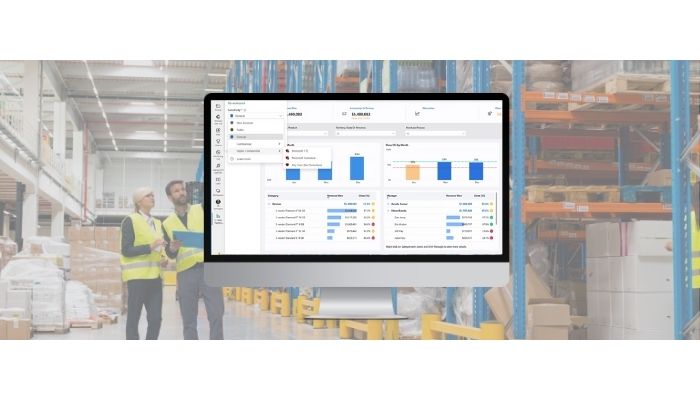
Power BI in logistics and distribution
For logistics and distribution companies, efficiency, delivery accuracy and cost control are critical to profitability. Power BI integrated with your ERP system provides a powerful tool for analysing and optimising the entire flow – from purchasing and inventory to transport and delivery. Real-time data makes it easy to identify bottlenecks, reduce downtime and make decisions based on facts rather than intuition. Examples of analyses and reports:
 Delivery accuracy: percentage of on-time deliveries, delays by carrier or route, and effects on customer satisfaction.
Transport costs: monitoring freight costs by order, customer, product or supplier.
Inventory optimisation: analysis of inventory levels, turnover, obsolescence and reorder points.
Picking and order management: order cycle times, picking efficiency and resource utilisation in the warehouse process.
Capacity planning: utilisation rates for staff, vehicles and equipment over different time intervals.
Return flows: number of returns, reasons for returns and handling time by customer or product category.
Cost analysis: logistics cost by delivery, customer or sales channel – with the ability to identify opportunities for improvement.
Geographical analysis: mapping deliveries, customer distribution and transport flows for better planning and route optimisation.
Power BI lets you combine data from multiple sources – ERP, TMS (Transport Management System), WMS (Warehouse Management System) and CRM systems – into a unified overall view.
You gain full visibility of the entire logistics chain and can make decisions that lower costs, improve service levels and strengthen competitiveness.
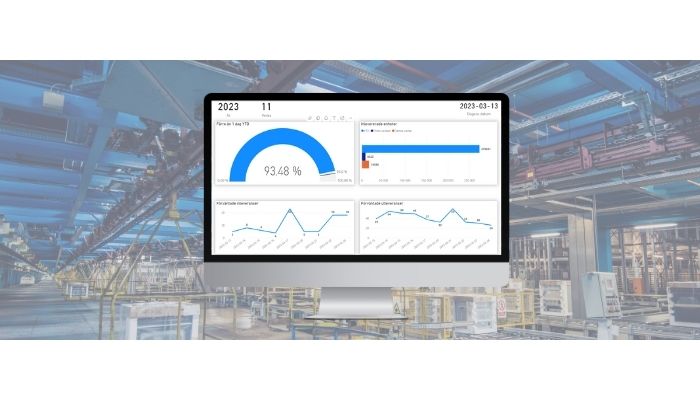
Power BI in manufacturing
Power BI gives manufacturers full visibility of the entire production chain – from orders and planning to delivery and follow-up. Integration with your ERP system provides real-time data that helps you identify deviations, improve efficiency and optimise resource utilisation. Examples of analyses and reports:
Production monitoring: comparison of planned and actual production and machine utilisation.
Quality analysis: deviation management, reasons for complaints and quality costs by product or line.
Material flow: inventory levels, material consumption and lead times between production stages.
Cost monitoring: direct and indirect production costs, contribution margin by product or order.
Maintenance and downtime: number of stoppages, downtime, categories of causes and impact on delivery accuracy.
Delivery accuracy: percentage of on-time deliveries, reasons for delays and impact on customer satisfaction.
Resource utilisation: staffing, working hours, machine loading and production capacity.
These BI reports provide both an operational overview and strategic insights, helping you steer production towards greater efficiency, lower costs and improved delivery reliability.
From data to decision support
The integration between Power BI and your ERP system lets you move from static reports to dynamic, real-time decision support. This means you can immediately:
 Drill down into the figures to understand the reasons behind changes
Combine data from multiple systems in a shared view
Share reports with colleagues securely and in a structured way
Access information directly in a browser, on a mobile phone or on a tablet
Evaluate and choose the right BI system
Choosing the right BI system means finding a solution that supports your business needs today and can grow with you over time.
Modern decision support should be user-friendly, scalable and easy to integrate with existing systems – especially your ERP system.
Power BI is a natural choice for many companies thanks to its flexibility, intuitive interface and strong connection to Microsoft's ecosystem.
It enables a quick start with analysis while offering advanced features for companies that want to develop their data-driven way of working.
Systemstöd supports you every step of the way
At Systemstöd, we have extensive experience integrating Power BI with ERP systems and creating solutions that people actually use.
Areas and services we help you with include:
Integration between Power BI and your ERP system
Report and dashboard design
User training
Maintenance and further development
Together, we create decision support that makes it easier to manage, monitor and develop your business.
Questions about Power BI + ERP
Want to know more about Power BI and ERP? Contact one of Systemstöd's offices here >
Or contact me – Pär Sjölin at Systemstöd – directly with your questions.

You can reach me by email at par.sjolin[at]systemstod.se or by phone on +46 73 142 80 74.
Together, we can discover how Power BI integrated with your ERP system can improve and simplify your business monitoring.
More about business management tools
Read more about Power BI and tools for better business management integrated with your ERP system in the Systemstöd blog here >