
Visma Severa Project Management
Visma Severa (formerly Visma Net Project Management) optimises project management and time reporting in a unified flow. Developed specifically for consulting and service companies seeking a powerful solution for project management, time reporting, analysis, CRM and resource allocation in their daily work.
Customers are mainly small and medium-sized companies in advertising and marketing, consulting and project operations, and technical consulting. They need functionality supporting the entire chain, and the flexibility to fully tailor their solution is essential.

Visma Severa – for more profitable projects
Customer management for consulting companies
Visma Severa lets you integrate all your customer management, sales support and project management into the organisation's workflow for better control of every project. All customer information is also gathered in one place – contact details, history, activities, sales processes and profitability.
Integrated project tool
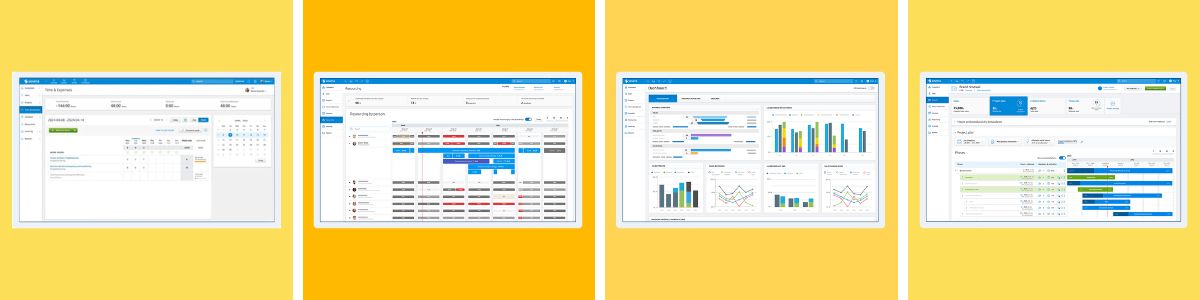
Visma Severa integrates all information about sales, scheduling, resource management, hours, costs and finances in real time. The project tool also provides a quick overview of deadlines, resources and financial status, with profit margins visible at project, customer, department or company level.
Every employee and consultant can also have their own homepage with real-time updates on forecasts, the sales pipeline and invoicing, for example.
Resource planning in Visma Severa Project Management
Allocate resources more efficiently by entering preliminary utilisation during the project's sales stage. With straightforward capacity analysis and resource allocation per employee and consultant, the project manager can add or reduce resources in time for more profitable projects in Visma Severa.
Report time and expenses
Your employees and consultants can easily report time online or in the app. All reported time is updated in real time, linked to the relevant customer (or internal work/project) and connected directly to invoicing data. Costs, prices and customer information are already linked to each hour by work type, role or person. Other useful Visma Severa features for your consultants include:
 Employees and consultants who have worked weekly on projects can use the previous day as a template. Time reports can be configured to require authorisation and approval by a project manager, for example. Travel costs can be reported alongside time spent. Different expenses can be compiled into a reimbursement document listing all costs. Receipts can be uploaded and attached to the relevant expense.

Invoicing in Visma Severa Project Management
Automated invoicing saves considerable time for all types of consulting and service companies. Visma Severa Project Management retrieves invoicing data directly from projects, reported hours, expenses, travel costs and products with current customer information. The data is compiled and ready to send. Completed customer invoices can be printed, emailed as PDFs or sent automatically through a third-party service. It also integrates with accounting in systems such as Visma Net.
Support for recurring invoicing (such as service subscriptions). Can combine multiple jobs on a single invoice. Support for multiple VAT rates and currencies. Support for different price lists.
Project monitoring and reports
Real-time reports give you a complete overview of your business and its projects. You can create reports based on project profitability, resource use or customer invoicing and revenue, for example. Reports can be added to a personal dashboard or distributed to relevant employees.
Easily create personal dashboards based on responsibilities and current needs. Dashboards can be shared and distributed within your company based on roles such as project manager or sales manager. You can create unlimited reports, save personal or shared reports and make report templates to share with colleagues and customers. Many reports can be added to a personal dashboard for immediate access to updated information about your business and its projects.